
Guides / Using Lumit / Projects and media
Updated
Proxies
A proxy is a smaller copy of a footage item’s file. Lumit reads it while you work, and can read the original again when you export.
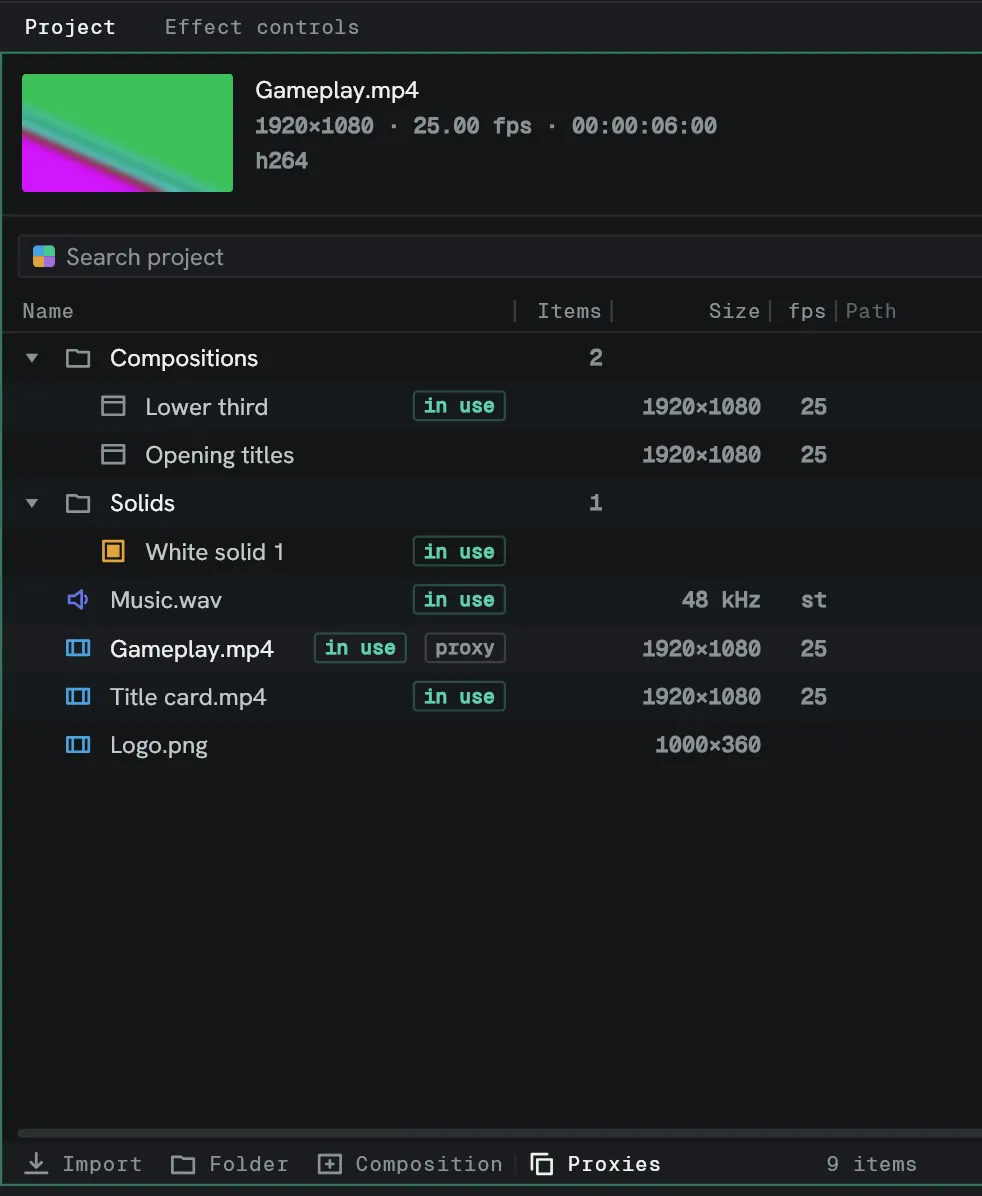
The original is never replaced. The proxy sits beside it as a second reference.
Make one
Section titled “Make one”Right-click a footage row in the Project panel and choose Make proxy.
Lumit reads every frame of the source and writes it out at half width, as a .mov named
after the original with _proxy on the end, beside the original file.
It runs in the background. The status line counts the frames and carries a Cancel; a cancelled job removes the half-written file. When it lands it attaches itself to the item.
With several footage rows selected, Make proxy queues one for each. Make proxies on a folder’s menu queues every footage item in the folder. One runs at a time, and Cancel stops it and empties the queue.
Set proxy… on the same menu attaches a file you already have.
Switch between them
Section titled “Switch between them”| Where | What it does |
|---|---|
| Use proxy, on the footage row’s menu | Whether this item reads from its proxy. Ticked. |
| Proxies, on the Project panel’s bottom bar | Whether the project reads proxies at all. On by default. |
| Clear proxy, on the row’s menu | Forgets the proxy. The file on disk is left alone. |
A row wears a proxy badge while its own tick is on.
What does not change
Section titled “What does not change”The original’s properties. Size, rate and duration come from the original file whichever one is being read.
Sound always comes from the original.
When Lumit ignores a proxy
Section titled “When Lumit ignores a proxy”A proxy is ignored, and the original read instead, when it is missing, unreadable, or has a different frame count or a different frame rate.
Delivery
Section titled “Delivery”The export dialogue’s Proxies row reads Use no proxies, and it opens that way whatever the project is switched to. For a quick review copy, Use all proxies is there.