
Reference / Effects / Generate
Updated
Points along path
Points along path is a Generate effect.
What it does
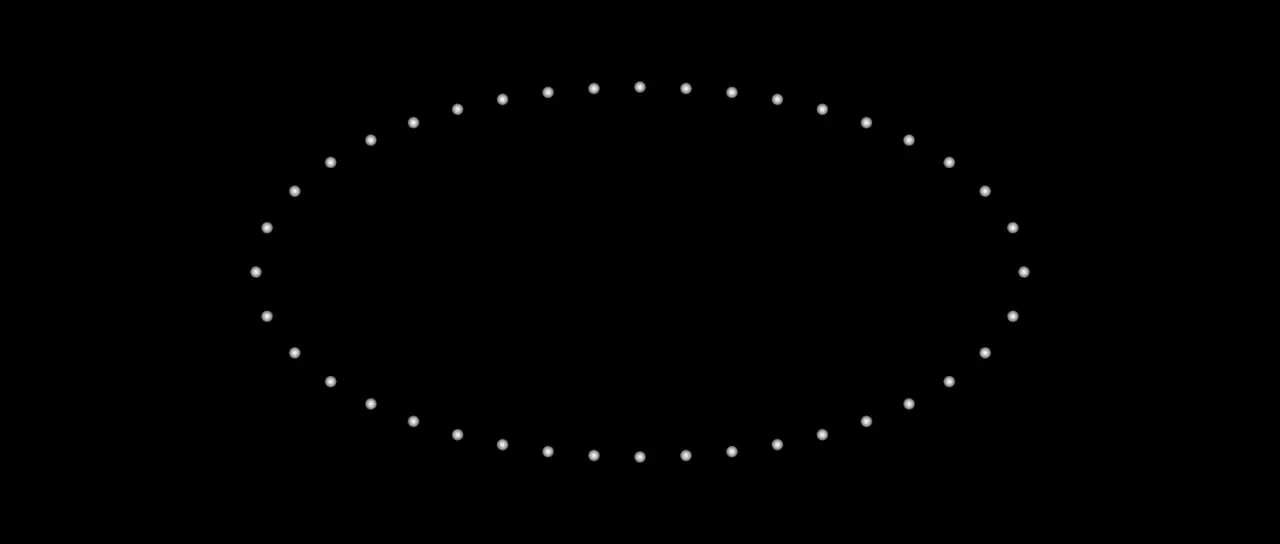
Section titled “What it does”Puts evenly spaced points along one of the layer’s masks and draws them as discs. A layer with no mask has no points.
On a Shape layer, Follow can take the outline the layer draws in place of a mask.
Placement can put them at random places instead, or one on each of the mask’s corners.
Each point’s number is how far along the path it sits, from 0 to 1. It carries the same
under the name progress. See Names.
On a Shape or Text layer, a points effect that is last in the stack draws past the art’s edges into the whole frame. With another effect or a layer style after it, the points are cut at the art’s box.
Parameters
Section titled “Parameters”| Parameter | Control | Range | Default | Unit |
|---|---|---|---|---|
| Follow | Dropdown | Mask · Shape | Mask | - |
| Mask path | Masks | This layer’s masks | First mask | - |
| Placement | Dropdown | Even · Random · Corners | Even | - |
| Count | Slider, whole numbers | 1 to 200; up to 1000000 | 20 | - |
| Start | Slider | 0 to 100 | 0 | Per cent |
| End | Slider | 0 to 100 | 100 | Per cent |
| Offset | Slider | -100 to 100; any value by typing | 0 | Per cent |
| Wrap | Checkbox | On or off | Off | - |
| Align to path | Checkbox | On or off | On | - |
| Size | Slider | 0 to 200; higher | 8 | Pixels at composition size |
| Feather | Slider | 0 to 100 | 100 | Per cent |
| Colour | Colour | Each channel 0 to 4, scene-linear | 1, 1, 1, 1 | - |
| Seed | Seed | Any whole number | A fresh random seed per instance | - |
| Mix | Slider | 0 to 100 | 100 | Per cent |
| Blend | Dropdown | Normal · Darken · Multiply · Colour burn · Linear burn · Darker colour · Add · Lighten · Screen · Colour dodge · Lighter colour · Overlay · Soft light · Hard light · Linear light · Vivid light · Pin light · Hard mix · Difference · Exclusion · Subtract · Divide · Hue · Saturation · Colour · Luminosity | Normal | - |
| Matte | Layer | Any layer in the composition | None | - |
| Invert | Checkbox | On or off | Off | - |
| Channel | Dropdown | Luminance · Alpha · Red · Green · Blue | Luminance | - |
In the Effect Controls panel:
- Path groups Follow, Mask path, Placement, Count, Start, End, Offset, Wrap, Align to path.
- Point groups Size, Feather, Colour.
- Count is editable while Placement is anything but Corners.
- Offset is editable while Placement is anything but Corners.
- Wrap is editable while Placement is anything but Corners.
- Mask path is editable while Follow is anything but Shape.
- Matte is an input to an effect, scaling the strength. Invert inverts the mattes for calculating strength.
What each control does
Section titled “What each control does”- Follow: what the points sit along. Mask is one of the layer’s masks. Shape is the outline the Shape layer the effect is on draws, after any trim, offset or combine, and dashes as drawn. Every line of it is followed in the layer’s order as one long run, repeater copies included, and Count is shared between them by length. A shape with no fill or stroke is followed too. On any other layer Shape makes no points.
- Mask path: the mask the points follow.
- Placement: where along the path the points are put. Even spaces them by distance. Random puts them at random places, the same on every frame. Corners puts one on each of the mask’s own vertices between Start and End, and ignores Count. On a Shape layer’s outline that is each end of a line and each of the shape’s own vertices on it. After an offset or a combine it is wherever the line turns, and a curve has a point at every joint.
- Count: how many points.
- Start and End: where along the path the first and last points sit, as a per cent of its length.
- Offset: slides every point along the path. A closed path wraps round and an open one stops at its ends, unless Wrap is on.
- Wrap: on an open path, a point pushed past one end comes back in at the other.
- Align to path: turns each point to face the way the path runs.
- Seed: which random places. It shows for Random.
- Size: the diameter of the disc a point is drawn as.
- Feather: how soft that disc’s edge is. At nought it is a hard circle.
- Colour: what the discs are drawn in.
- Mix: how much of the drawing lands on the picture. At nought the points are still emitted on the socket.
- Matte and Invert drive the strength of the effect from another layer’s brightness. See Effects.