
Guides / Using Lumit / Layers
Updated
Cameras and 3D
A Camera layer is a 3D viewpoint. Only layers with the 3D switch turned on are affected by it.
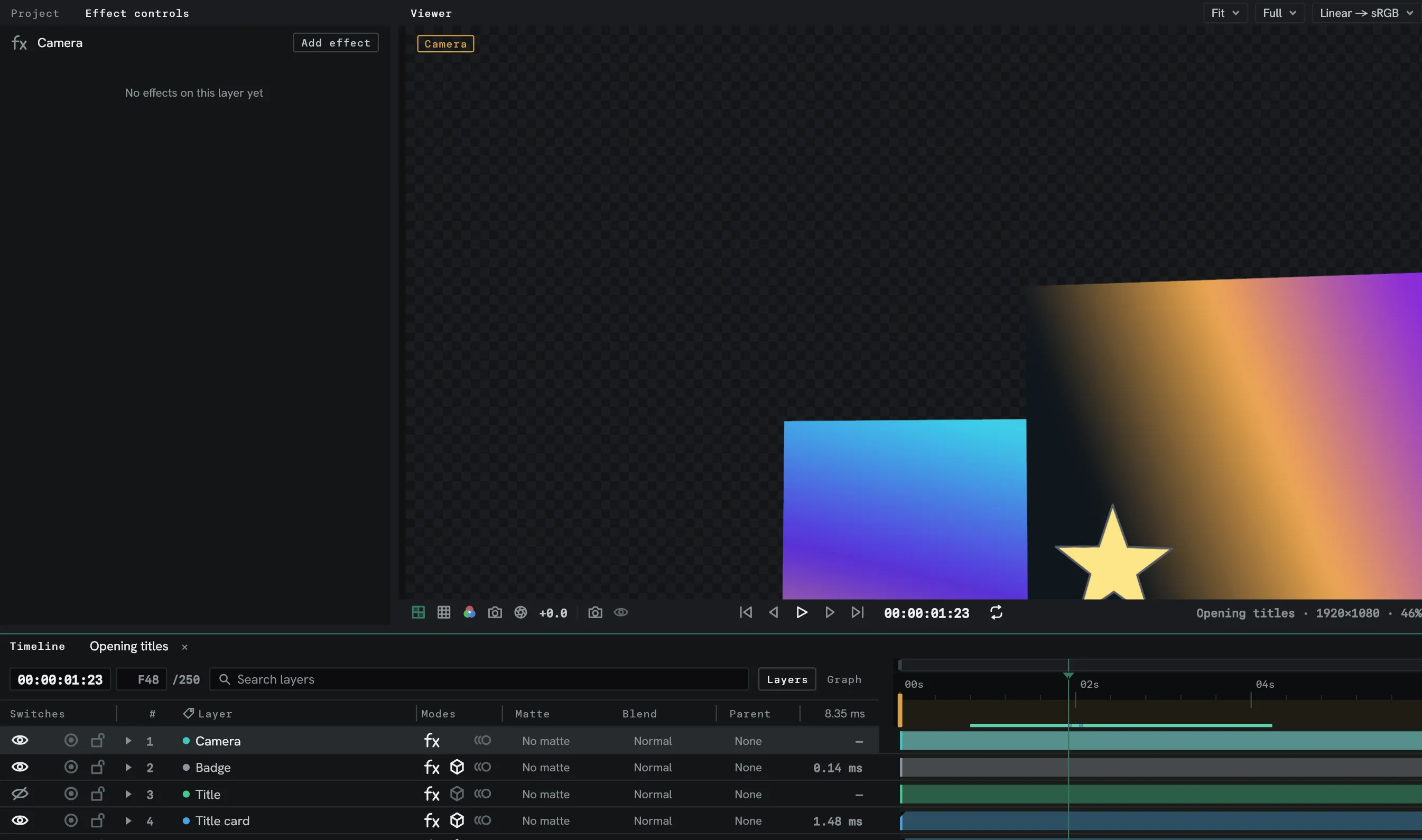
Set up
Section titled “Set up”- Choose Layer ▸ New ▸ Camera.
- Turn on the 3D switch for layers you want the camera to see.
If you have multiple cameras in your scene, the topmost visible camera is the active one. With no camera layer, 3D layers are seen through a default 50 mm camera at the centre of the composition, with no depth of field, as in After Effects.
Position in depth
Section titled “Position in depth”A 3D layer gains a Z position. Adjusting this moves the layer forwards and backwards in the composition space.
Nearer 3D layers draw in front of farther ones, whatever their stack order, and 3D layers that pass through each other cut where they meet. A 2D layer or an adjustment layer between 3D layers splits them into groups, which stack in timeline order. A 2D layer inside a collapsed 3D precomp lies on the precomp’s plane and splits groups the same way. Two motion-blurred 3D layers do not cut each other.
In the Viewer
Section titled “In the Viewer”A 3D layer’s box, handles, mask outlines and motion path are drawn in perspective, through the active camera or the chosen view. A click picks the nearest 3D layer under the pointer. A selected light shows as a small diamond at its position.
A fixed or custom view outlines every 3D layer, camera and light, the selected ones in the selection colour: a camera with its frustum and body, a spot light with its cone and where its feather starts, a point light as a bulb, an area light with its rectangle, and a Null with its square and a cross. Through the active camera only selected cameras and lights are outlined. Layer controls in the Guides menu hides all of them.
3D ground draws a grid through the middle of the composition, its frame, and the x, y and z axes from the origin. Parts behind a layer’s picture are left out. 3D axes draws the view’s axes in the corner. Both are kept per view: in a fixed or custom view both start on, and through the active camera only 3D axes does.
Camera tools
Section titled “Camera tools”The camera tools move the active camera, or the view the Viewer is looking through.
- Unified camera: the left button orbits, the middle button tracks, the right button dollies.
- A track keeps what is under the pointer under it. A dolly goes toward it.
- The wheel, or two fingers on a trackpad, dollies while a camera tool is in hand.
- Orbit around on the toolbar sets what an orbit swings round: the Point of interest, the layer under the Cursor, the middle of the Scene, or the middle of the Selection.
- A keyed property takes a key at the playhead. A drag is one undo step, and
Escduring it puts the camera back. - Front, Back, Left, Right, Top and Bottom track, and dolly by magnifying, so they stay flat. An orbit in one of them carries it into the last custom view.
- A camera placed by an expression does not move.
With no camera tool, Alt with the left, middle or right button orbits, tracks or dollies,
and Alt with the wheel dollies, in a composition with a 3D layer, camera or light. The
wheel’s modifier is in Settings ▸ Keymap. On a selected layer Alt moves the layer instead.
The drawing, painting, Roto, Puppet and Zoom tools keep Alt for themselves.
3D views
Section titled “3D views”View ▸ Switch 3D view picks what the Viewer looks through. Each view keeps its own.
| Command | Keys | What it does |
|---|---|---|
| 3D view shortcuts | F10, F11, F12 | Switch to Front, Custom view 1 and Active camera, until reassigned. |
| Assign shortcut to | Shift+F10, Shift+F11, Shift+F12 | Put the current 3D view on that key. |
| Switch to last 3D view | Esc | Go back to the view before, and again to return. Taken only when nothing else on screen uses Esc. |
| Back to active camera | Look through the composition’s camera again. | |
| Look at selected layers | Ctrl+Alt+Shift+\, or F with a camera tool | Move the view, or the active camera, so the selected 3D layers fill the picture. Locked layers count, hidden ones do not. |
| Look at all layers | Ctrl+Shift+\, or Ctrl+Shift+F with a camera tool | The same for every 3D layer. |
| Reset 3D view | Put a view back where it starts, or the active camera where a new camera stands. | |
| Create camera from 3D view | Add a camera where a custom view looks from. |
Ctrl is Cmd on macOS, where F10 to F12 need Fn and F11 shows the desktop unless
that is turned off.
A camera moved by these takes a key at the playhead where it is keyed, Reset included, as one undo step.
3D viewport
Section titled “3D viewport”Window ▸ New 3D viewport, or Open in new 3D viewport in the Viewer bar’s 3D view menu, opens a Viewer beside the one in use that looks at the same composition through a Free view of its own and fills its pane. It frames every layer and camera the first time it shows a composition, and keeps its free view of each with the session.
| Action | What it does |
|---|---|
| Right drag | Orbit round what is under the pointer, else the selection, else the scene. |
Middle drag, or Shift and right drag | Track, keeping what is under the pointer under it. |
| Wheel | Dolly toward what is under the pointer. |
| Two fingers on a trackpad | Orbit, or track with Shift. A pinch dollies. |
Hold the right button, W A S D | Fly forward, left, back and right. The mouse looks about. |
Hold the right button, E Q | Fly up and down. Shift flies four times as fast, the wheel sets the pace. |
F | Frame the selected layers. |
Shift+F | Frame every layer and camera. |
| Click an axis in the corner | Look along it, orthographically, until the next orbit. Drag the axes to orbit. |
| Persp / Ortho under the axes | Switch between perspective and orthographic. |
| Lines only under the axes | Draw the outlines on the ground with no picture. |
Moving it while it looks through the active camera or a fixed view switches it to its free view from there. The ground is drawn into its picture, under any 2D layer stacked above the 3D ones and hidden wherever a layer stands in front of it. It follows the playhead at its own resolution, Half until given another, and plays along only while the Viewer has time to spare. It draws without motion blur or depth of field.
On Wayland the pointer is not held still during a drag. Some Linux window managers take
Alt and a drag to move windows.
Placing layers
Section titled “Placing layers”View ▸ Place on surface, or Ctrl-click in a 3D view, moves the selected 3D layers so
their anchors sit on the layer, Null or light under the pointer. With Shift they turn to
match it. View ▸ Move active camera to 3D view puts the composition’s camera where the
view looks from. Both are one undo step and key what is keyed.
3D handles
Section titled “3D handles”A selected 3D layer, light or camera has three arrows at its anchor: x red, y green, z blue.
- Drag an arrow to move along that axis only.
- Drag a square between two arrows to move in that plane.
- Drag the ring at the centre, or Alt-drag the selected layer, to move it across the view at its depth.
- Shift keeps an arrow or square drag to steps of 10.
- With the Rotation tool, drag a ring to turn about that axis, or drag off the rings
to turn freely.
Shiftturns in 45° steps. Cameras and lights have rings too.
Local axes, World axes and View axes in the tool options point the handles along the layer, the composition or the screen. Orientation and Rotation beside them say what the Rotation tool turns. Set to Rotation, a Local ring turns one of X, Y and Z Rotation. With several layers selected the handles sit on the one picked first and move or turn them all, a 2D layer by the Z ring alone. A layer whose parent is selected too moves only with its parent. A two-node camera also has handles at its point of interest.
A drag, a nudge or a move of the anchor on a 3D layer keys a keyed value at the playhead.
Distance
Section titled “Distance”Pixels per metre in the camera’s settings is how many composition pixels make a metre. A lens effect’s Depth row pointed at a Precomp of the composition reads how far each pixel of its 3D layers is from the camera, in metres. On an adjustment layer, pointed at the adjustment layer itself, it reads the 3D layers below. 2D layers have no distance, and a group of 3D layers covers the groups below it.
Depth of field
Section titled “Depth of field”With Depth of field on in the camera’s settings, each part of a 3D layer is blurred by how far it is from Focus distance.