
Reference / Effects / Distortion
Updated
Scanlines
Scanlines is a Distortion effect.

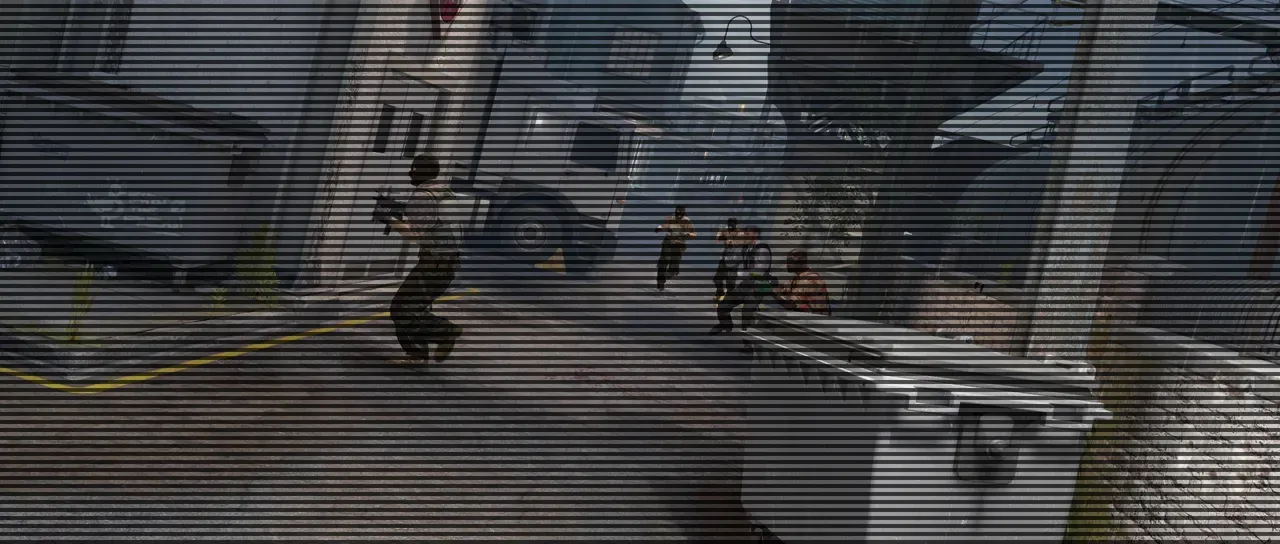
What it does
Section titled “What it does”Darkens every other band of the picture, the way a cathode-ray display would.
Parameters
Section titled “Parameters”| Parameter | Control | Range | Default | Unit |
|---|---|---|---|---|
| Intensity | Slider | 0 to 1 | 0.35 | - |
| Line period | Slider | 1 to 20; higher | 3 | Pixels at composition size |
| Roll speed | Slider | -30 to 30; any value by typing | 0 | - |
| Interlace offset | Checkbox | On or off | Off | - |
| Mix | Slider | 0 to 100 | 100 | Per cent |
| Blend | Dropdown | Normal · Darken · Multiply · Colour burn · Linear burn · Darker colour · Add · Lighten · Screen · Colour dodge · Lighter colour · Overlay · Soft light · Hard light · Linear light · Vivid light · Pin light · Hard mix · Difference · Exclusion · Subtract · Divide · Hue · Saturation · Colour · Luminosity | Normal | - |
| Matte | Layer | Any layer in the composition | None | - |
| Invert | Checkbox | On or off | Off | - |
| Channel | Dropdown | Luminance · Alpha · Red · Green · Blue | Luminance | - |
In the Effect Controls panel:
- Matte widens Line period per pixel: white keeps the set period, grey spreads the lines apart, black spreads them too far to see. Invert reads that matte inverted.
What each control does
Section titled “What each control does”- Intensity: how dark the scanlines get.
- Line period: the height of one light-and-dark pair.
- Roll speed: how fast the pattern travels up or down the frame.
- Interlace offset: alternates which half of each period is darkened.
- Mix: how much of the result replaces the original.
- Matte and Invert drive the strength of the effect from another layer’s brightness; see Effects.