
Reference / Effects / Stylise
Updated
Lens flare
Lens flare is a Stylise effect.

What it does
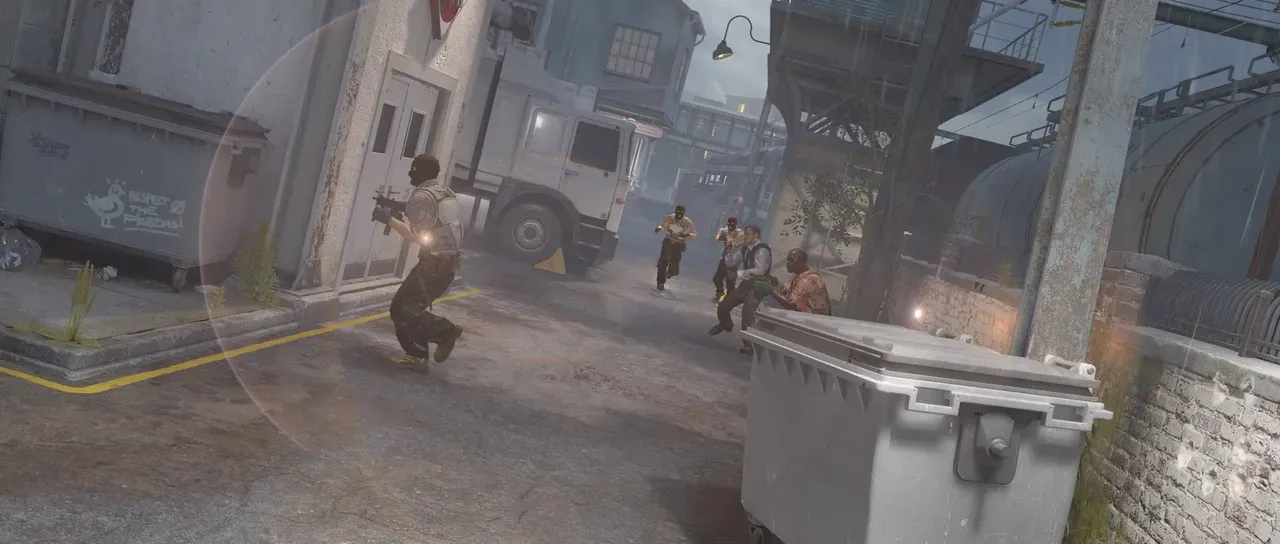
Section titled “What it does”This flare is simulated. The ghosts are traced through a real lens prescription, meaning actual element curvatures, glasses and spacings of a photographic lens, so they scale, stretch, colour and slide across the frame exactly as a camera’s would. The starburst is the true diffraction pattern of the aperture.
Parameters
Section titled “Parameters”| Parameter | Control | Range | Default | Unit |
|---|---|---|---|---|
| Light x | Slider | 0 to 3840; any value by typing | 640 | Pixels at composition size |
| Light y | Slider | 0 to 2160; any value by typing | 360 | Pixels at composition size |
| Source width | Slider | 0 to 400; higher | 0 | Pixels at composition size |
| Source height | Slider | 0 to 400; higher | 0 | Pixels at composition size |
| Intensity | Slider | 0 to 4; higher | 1 | - |
| Lens | Dropdown | 7Artisans · 50mm F0.95 · Angenieux · DEM 180mm F2.3 APO · Canon · 50mm f1.2 (1956) · Canon · 85mm f1.5 (1952) · Canon · EF 100mm f2.8 Macro · Canon · EF 400mm f2.8L IS II · Canon · EF 70-200mm f2.8L · Canon · FD 300mm f2.8 SSC Fluorite · Leica · Elmarit 90mm F2.8 · Leica · Summilux 35mm f1.4 · Leica · Summilux-C 100mm T1.4 · Meyer Görlitz · Kino Plasmat 100mm F2 · Meyer Görlitz · Orestor 135mm F2.8 · Ross · F10 APO Process Xpres · Voigtländer · Nokton 35mm F1.2 Asph · Voigtländer · Nokton 50mm F1.0 Asph · Zeiss · Arri Master Prime T1.3 50mm · Zeiss · Biotar 50mm F1.4 · Zeiss · Tessar 100mm F4.5 · Zeiss · Ultra Prime Sonnar 135mm T1.9 | Zeiss · Arri Master Prime T1.3 50mm | - |
| Lens file | File | .lens | None | - |
| Edit lens… | Button | - | - | - |
| F-stop | Slider | 0.95 to 22; down to 0.7 and up to 32 | 1.3 | - |
| Focus distance (m) | Slider | 0.3 to 100; down to 0.05 and higher | 100 | - |
| Anamorphic squeeze | Slider | 1 to 2; down to 0.5 and up to 3 | 1 | - |
| Blades | Slider, whole numbers | 3 to 16 | 8 | - |
| Rotation | Dial | Any angle; snaps every 15° while a modifier is held | 0° | Degrees |
| Coating | Slider | 0 to 1 | 0.75 | - |
| Roundness | Slider | 0 to 1 | 0.15 | - |
| Softness | Slider | 0 to 1 | 0.05 | - |
| Element 1 | Dropdown | As the lens file · Uncoated · Single layer, straw · Two layer, magenta · Broadband, green · Broadband, amber · Broadband, blue | As the lens file | - |
| Element … | Dropdown | As the lens file · Uncoated · Single layer, straw · Two layer, magenta · Broadband, green · Broadband, amber · Broadband, blue | As the lens file | - |
| Element 20 | Dropdown | As the lens file · Uncoated · Single layer, straw · Two layer, magenta · Broadband, green · Broadband, amber · Broadband, blue | As the lens file | - |
| Ghost intensity | Slider | 0 to 4; higher | 1 | - |
| Ghost softness | Slider | 0 to 22; up to 44 | 0.44 | Pixels at composition size |
| Max ghosts | Slider, whole numbers | 0 to 150; up to 200 | 60 | - |
| Detail | Slider | 0.25 to 2; up to 4 | 1 | - |
| Dispersion | Slider | 0 to 2; higher | 1 | - |
| Starburst intensity | Slider | 0 to 4; higher | 1 | - |
| Scale | Slider | 0.1 to 4; down to 0.05 and up to 20 | 1 | - |
| Source | Dropdown | Manual light · Matte · Lights | Manual light | - |
| Light tint | Colour | Each channel 0 to 4, scene-linear | 1, 1, 1, 1 | - |
| Use source colour | Checkbox | On or off | On | - |
| Matte | Layer | Any layer in the composition | This layer | - |
| Invert | Checkbox | On or off | Off | - |
| Threshold | Slider | 0 to 1; higher | 1 | - |
| Threshold softness | Slider | 0 to 1; higher | 0.25 | - |
| Depth | Layer | Any layer in the composition | None | - |
| Light distance (m) | Slider | 1 to 1000; down to 0.01 and higher | 1000 | - |
| Quality | Dropdown | Draft · Normal · High · Ultra | Normal | - |
| Blend | Dropdown | Normal · Add · Screen · Multiply · Overlay · Soft light · Hard light · Lighten · Darken · Difference · Exclusion · Subtract · Divide | Add | - |
| Mix | Slider | 0 to 100 | 100 | Per cent |
In the Effect Controls panel:
- Lens options groups Anamorphic squeeze, Blades, Rotation, Coating, Roundness, Softness, and starts closed.
- Flare options groups Ghost intensity, Ghost softness, Max ghosts, Detail, Dispersion, Starburst intensity, Scale, and starts closed.
- Light distance (m) is editable while Depth names a layer.
- Matte where the flare looks for its light sources, in Matte source mode: the parts of the matte brighter than Detect threshold are the lights, and everything else contributes nothing. Invert reads that matte inverted.
What each control does
Section titled “What each control does”The light, and how strong the whole thing is:
- Light x and Light y: position where the light originates.
- Source width and Source height: the half-size of the emitting area.
- Intensity: the master gain on the effect.
- Lens: the prescription being traced. Changing it changes the flare’s character.
- Lens file: your own lens prescription, in the same format the optical bench tools use. When set it overrides the Lens choice.
- Edit lens… opens the lens window. A lens chosen there overrides both rows above.
- F-stop: stops the iris down from the lens’s own widest aperture. Wide open, ghosts are large and round; stopped down they shrink and take on the shape of the blades.
- Focus distance (m): the distance the lens is focused at.
The Lens options group:
- Anamorphic squeeze: the horizontal squeeze of an anamorphic lens.
- Blades: how many blades the iris has.
- Rotation: turns the iris.
- Coating: how well the elements are anti-reflection coated overall.
- Roundness and Softness: the iris opening’s shape and the softness of its edge.
- Element 1 through Element 20: the coating on each individual piece of glass. Only as many rows appear as the chosen lens actually has elements.
The Flare options group:
- Ghost intensity: the gain on the ghost train.
- Ghost softness: blurs the ghosts, by that many pixels at composition size.
- Max ghosts: how many ghosts render.
- Detail: increases/decreases tracing work.
- Dispersion: how far the traced wavelengths spread apart.
- Starburst intensity: the gain on the diffraction spikes alone.
- Scale: scales the whole flare about the optical centre, ghosts and starburst together.
The Source group:
- Source: Manual light is set by the effect’s position. Matte finds a flare’s sources from thresholding a layer. Lights uses the composition’s own light layers as sources.
- Light tint: multiplies the colour of every light.
- Use source colour: in Matte and Lights modes, whether each source flares in its own colour or uses the set flare colour.
- Matte layer: which layer is used as the source.
- Threshold: how bright a pixel must be to count as a light.
- Threshold softness: how gradually sources fade in as they cross the threshold.
- Depth: distance in metres, from a Precomp of a 3D composition or Depth of field pro. On an adjustment layer, pointed at itself, it reads the 3D layers below. A light with something nearer in front of it makes no flare, and each light’s starburst fades as the light goes out of focus.
- Light distance (m): how far away a Manual light or a Light layer is, read against Depth.
The remaining properties:
- Quality: increasing quality can dramatically improve the lens flare, especially when using matte layers, but at a significant render time increase.
- Blend: how the flare composites with the layer it’s applied to.
- Mix: how much of the result replaces the original.
- Matte and Invert drive the strength of the effect from another layer’s brightness; see Effects.