
Reference / Effects / Distortion
Updated
Tile
Tile is a Distortion effect.

What it does
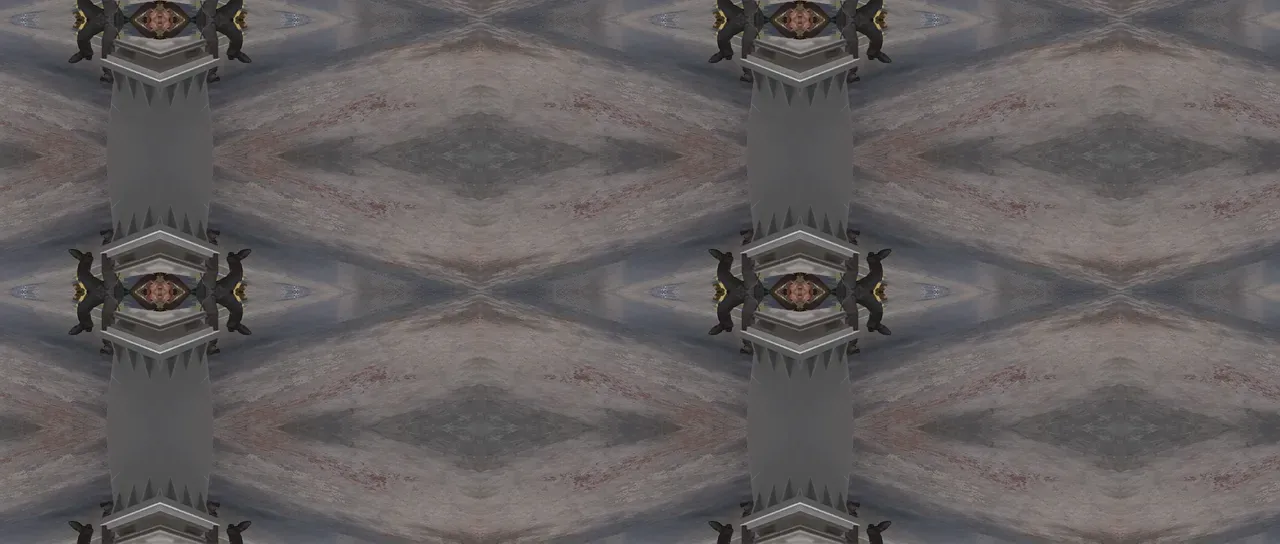
Section titled “What it does”Tile cuts a rectangle out of the layer and repeatedly stamps it side by side until the frame is filled.
Push Output width or Output height past the frame’s own size and the stamping carries on past the layer’s edges, and the layer grows to hold it.
Parameters
Section titled “Parameters”| Parameter | Control | Range | Default | Unit |
|---|---|---|---|---|
| Tile centre x | Slider | 0 to 3840; any value by typing | 960 | Pixels at composition size |
| Tile centre y | Slider | 0 to 2160; any value by typing | 540 | Pixels at composition size |
| Tile width | Slider | 1 to 3840; higher | 1920 | Pixels at composition size |
| Tile height | Slider | 1 to 2160; higher | 1080 | Pixels at composition size |
| Output width | Slider | 1 to 3840; higher | 1920 | Pixels at composition size |
| Output height | Slider | 1 to 2160; higher | 1080 | Pixels at composition size |
| Mirror edges | Checkbox | On or off | Off | - |
| Phase | Dial | Any angle; snaps every 45° while a modifier is held | 0° | Degrees |
| Horizontal phase shift | Checkbox | On or off | Off | - |
| Mix | Slider | 0 to 100 | 100 | Per cent |
| Blend | Dropdown | Normal · Darken · Multiply · Colour burn · Linear burn · Darker colour · Add · Lighten · Screen · Colour dodge · Lighter colour · Overlay · Soft light · Hard light · Linear light · Vivid light · Pin light · Hard mix · Difference · Exclusion · Subtract · Divide · Hue · Saturation · Colour · Luminosity | Normal | - |
| Matte | Layer | Any layer in the composition | None | - |
| Invert | Checkbox | On or off | Off | - |
| Channel | Dropdown | Luminance · Alpha · Red · Green · Blue | Luminance | - |
In the Effect Controls panel:
- Matte is an input to an effect, scaling the strength. Invert inverts the mattes for calculating strength.
What each control does
Section titled “What each control does”- Tile centre x and Tile centre y: the centre point to begin repeating from.
- Tile width and Tile height: how large the tile rectangle is.
- Output width and Output height: how much gets stamped, in pixels.
- Mirror edges: flips alternate stamps, so copies meet without a seam.
- Phase: slides every row of tiles sideways by a fraction of a tile.
- Horizontal phase shift: decides if Phase slides vertically or horizontally.
- Mix: how much of the result replaces the original.
- Matte and Invert drive the strength of the effect from another layer’s brightness; see Effects.