
Guides / The panels
Updated
The toolbar
The toolbar displays all available tools. Tools with several options open a flyout, and pressing the shortcut again steps through them.
In a narrow window the tools that do not fit go into ⋯ at the end of the row. Selection and the armed tool always stay on the row.

Shortcuts below are the defaults, rebindable in Settings ▸ Shortcuts. A tool’s tooltip gives its shortcut as it is bound now, and the right-hand end of the status line says what the armed tool’s modifier keys do.
| Tool | Shortcut | Does |
|---|---|---|
| Selection | V | Select and move layers. |
| Hand | H | Pan the Viewer, the Timeline, the graph editor and the node graphs. |
| Zoom | Z | Zoom the Viewer. |
| Rotation | W | Rotate the selected layer. |
| Anchor point | Y | Move the anchor point without moving the layer. |
| Razor | C | Split a layer or a clip within a Sequence layer. |
| Shape | Q | Rectangle, Rounded rectangle, Ellipse, Polygon, Star. Creates a mask or shape layer. |
| Pen | G | Draw a bezier path. Click the first point to close it, or press Enter to leave it open. Creates a mask or shape layer. |
| Type | Ctrl+T | Add text. |
| Paint | Ctrl+B | Brush, Clone stamp, Eraser. |
| Camera | Shift+C | Orbit, Pan, Dolly the camera. |
Shape and Pen: layer or mask?
Section titled “Shape and Pen: layer or mask?”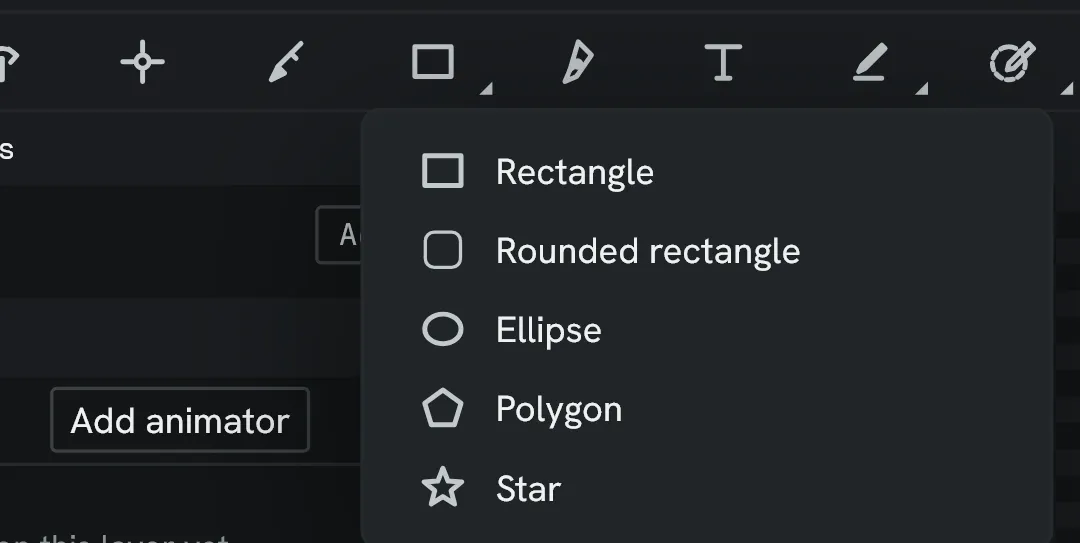
With a layer selected, these draw a mask on the layer. With nothing selected, they create a shape layer at the top of the composition.
Tool options
Section titled “Tool options”If a tool has additional customisation, such as fill colour or stroke width, then these options appear to the right-hand side of the tools when available.