
Guides / The panels
Updated
Viewer
The Viewer shows the composition at the playhead. It has a strip above the picture and a strip below it, and nothing on either of them changes what an export writes.
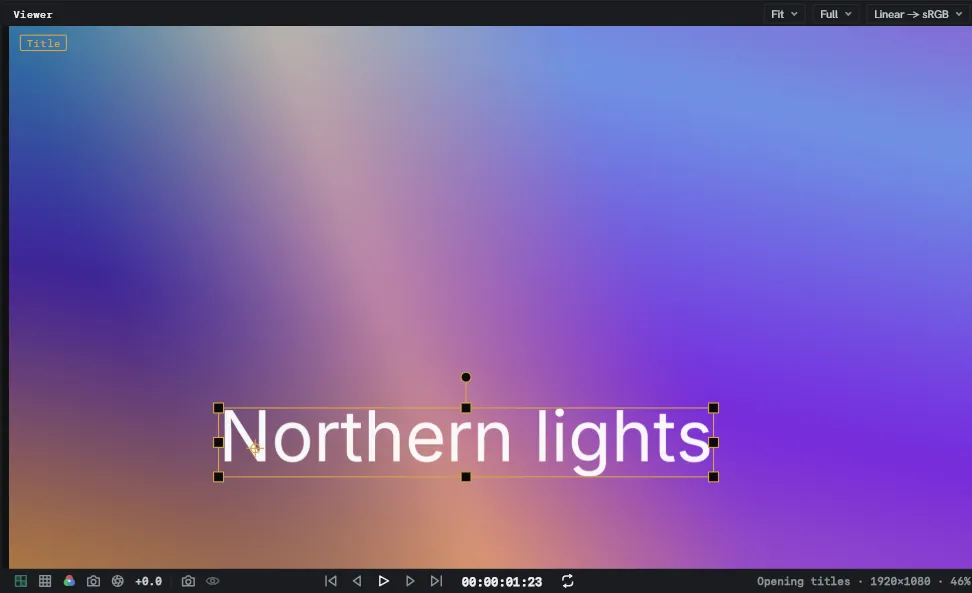
The strip above
Section titled “The strip above”The panel’s name sits at the left. Three pickers sit at the right.
| Picker | Sets |
|---|---|
| Magnification | How big the picture is drawn. Fit, or a fixed step from 25% to 400%. The wheel zooms too, anchored on the pointer. |
| Preview quality | The preview resolution — full, half, third, quarter or auto — and the playback behaviour, every frame or adaptive. |
| Colour pipeline | The display transform the picture is shown through. Where the project loads a colour configuration it grows a section per display, each of its views a row. |
The strip below
Section titled “The strip below”
| Control | Does |
|---|---|
| Transparency board | Draws a chequerboard behind alpha. |
| Guides | One menu for everything drawn over the picture: the grid, title and action safe, layer controls, the region of interest, and the composition background. In a 3D composition it adds 3D ground and 3D axes. In a node graph, Picture bounds outlines how far the picture reaches past the frame, with its size in pixels. The outline is in the warning colour where it reached as far as a box keeps. File ▸ Project settings… ▸ Node graph overscan lets a box keep more, at the cost of memory. |
| Channel | RGB, red, green, blue, or alpha. |
| 3D view | What the picture is looked through: the active camera, Front, Back, Left, Right, Top, Bottom, or Custom 1 to 3. With two or four views, each keeps its own, and on a 3D composition new views open on Top, Front and Right. |
| Exposure | Drag the number; click the mark to go back to zero. |
| Take snapshot | Photographs the picture. |
| Show snapshot | Puts the photograph back over the live picture while it is held. |
| Transport | First frame, previous frame, play or pause, next frame, last frame. |
| Clock | The playhead’s time. Click it to type one; a time past either end clamps. |
| Loop | What playback does at the end of the work area: loop, play once, or ping-pong. Click to step through the three. |
| Reading | The composition, its size, and the magnification. While the preview is made smaller than the composition, the size reads as the pair, source → preview, in the warning colour. |
The snapshot photographs what is on screen, at the resolution it is drawn at. Holding Show puts it back over exactly the part of the picture it came from.
While a frame takes long enough to notice, a slim bar left of the reading fills as it is made, with a word for what the engine is doing. It goes when the frame arrives, and shows nothing during playback.
When the Viewer is narrow
Section titled “When the Viewer is narrow”A Viewer docked into a sidebar has less width than the bar wants, so pieces leave in order: the reading, then the loop mark. The ways of looking then fold into one overflow mark, and the clock goes last. The five transport buttons are the last items remaining.
The two strips can also be gathered into one, at the top or at the bottom, under Edit ▸ Settings ▸ Appearance ▸ Viewer.
In the picture
Section titled “In the picture”Select a layer and the Viewer draws its wireframe with a transform gizmo. The handles move, scale and rotate it. See Transforming layers. The tag at the top left names what is selected.
The outline, the handles and the motion path follow the layer’s parents. A keyed shape path is outlined where it is at the playhead.
Moving a layer
Section titled “Moving a layer”With the Selection tool armed:
- Drag a layer to move it. Several selected layers move together, as one undo step.
- Drag the mark on a selected effect’s point, such as a Centre, to move the point.
- Shift keeps the drag to one axis.
- The arrow keys nudge the selected layers one pixel, or ten with
Shift, while the Viewer is the active panel. - Double-click a text layer to edit it, or a Precomp layer to open its composition.
While Snap to guides is on, a moved layer lands on the guides and the edges and middle
of the composition and, with View ▸ Snap to grid ticked, on the grid. A line across the picture
marks what it landed on. Ctrl suspends snapping.
A layer whose position is keyframed does not move under a drag or a nudge.
Effect points
Section titled “Effect points”With an effect selected, or one of a point’s rows, each of its points is marked on the picture. Only points in pixels or per cent get a mark. Guides ▸ Layer controls hides the marks.
- Only the Selection tool drags a mark. Shift keeps it to one axis.
- A point with a wire on either half does not drag.
- A keyed half takes a key at the playhead.
- The drag is one undo step.
The right-click menu
Section titled “The right-click menu”Right-click the picture.
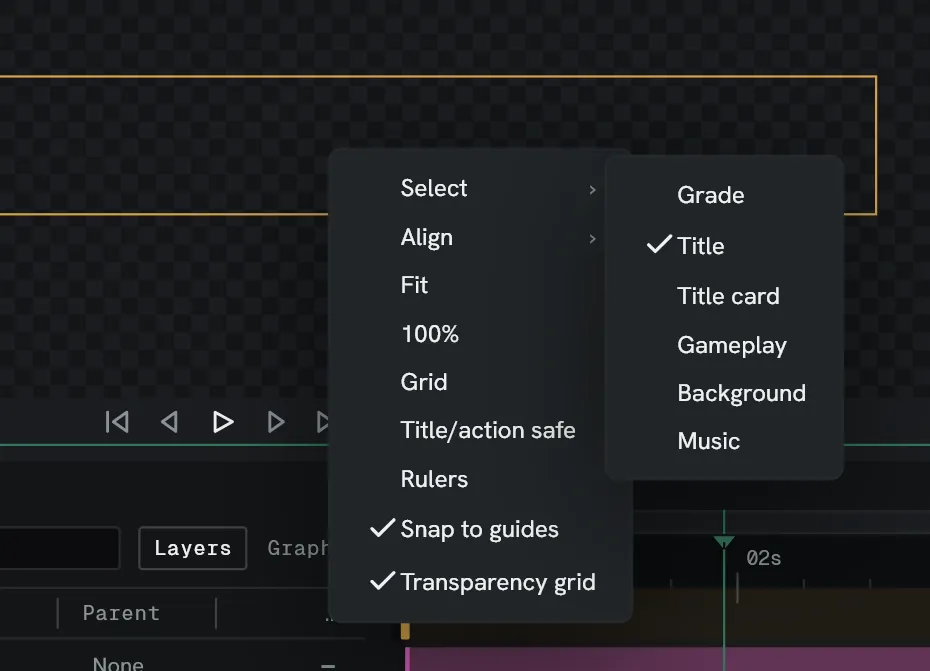
| Row | Does |
|---|---|
| Select | Lists every layer under the pointer, top to bottom. Choosing one selects it, which reaches a layer covered by another. |
| Align | Moves each selected layer so an edge or the middle of its box meets the composition’s: Left, Centre, Right, Top, Middle, Bottom. |
| Fit, 100% | Set the magnification. |
| Grid, Title/action safe, Rulers, Snap to guides, Transparency grid | The same switches as the bottom bar’s. |
Select appears with a layer under the pointer, and Align with a layer selected.
Moving about
Section titled “Moving about”- The wheel zooms, anchored on the pointer.
- A middle-button drag pans the picture, whatever tool is armed.
- The Hand tool pans on an ordinary drag.
A middle-button drag does not pan while a dropper is armed.
At an effect
Section titled “At an effect”Select one effect — its heading in Effect controls, or its box in the node graph — and a chip appears at the top right saying at that effect’s name. Click it and the Viewer shows the composition with that layer’s effect stack stopping there. Click it again for the finished picture.
The chip names a box in a node graph composition the same way, and shows the composition with its Output wired to that box.
The dropper
Section titled “The dropper”Some parameters are picked off the picture rather than typed — a colour, or a point. Arm the dropper from the parameter and a magnifier follows the pointer, with an outline round the pixels that will be sampled.
- Shift+scroll grows the sampled region — one pixel, then 3×3 up to 9×9.
- The pick is a drag. The value is previewed as you sweep; the release commits it, as
one undo step.
Escputs back what the drag started from.