
Reference / Effects / Generate
Updated
Text to points
Text to points is a Generate effect.
What it does
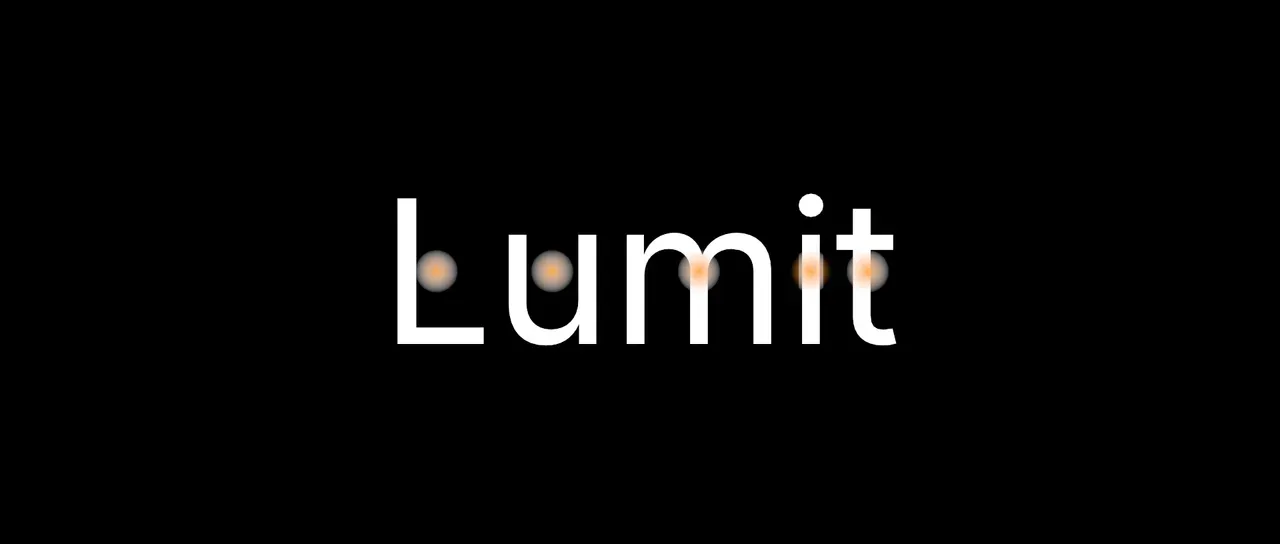
Section titled “What it does”Makes one point for each character, word or line of a Text layer and draws them as discs. On the Text layer itself each point sits on its piece of the text, and moves when an animator pushes a letter.
A point’s number is its count along the text, or the count Number asks for. On a path it turns to face the way the path runs.
Every point carries four names as well. character, word and line are the counts of
the character, word and line its piece starts with, and width is the width of its piece
in pixels at composition size. See Names.
The points effects below it in the same layer’s stack can read its points. Points sample cannot, and neither can Layer points from another layer. A Bake points below it makes its points readable by both.
On the Text layer itself its points are cut at the text’s box unless it is at the end of the stack. See Points along path.
Parameters
Section titled “Parameters”| Parameter | Control | Range | Default | Unit |
|---|---|---|---|---|
| Text layer | Layer | Any layer in the composition | None | - |
| Per | Dropdown | Character · Word · Line | Character | - |
| Include spaces | Checkbox | On or off | Off | - |
| Place | Dropdown | Origin · Centre | Origin | - |
| Number | Dropdown | Same as Per · Character · Word · Line | Same as Per | - |
| Size from width | Checkbox | On or off | Off | - |
| Size | Slider | 0 to 200; higher | 8 | Pixels at composition size |
| Feather | Slider | 0 to 100 | 100 | Per cent |
| Colour | Colour | Each channel 0 to 4, scene-linear | 1, 1, 1, 1 | - |
| Mix | Slider | 0 to 100 | 100 | Per cent |
| Blend | Dropdown | Normal · Darken · Multiply · Colour burn · Linear burn · Darker colour · Add · Lighten · Screen · Colour dodge · Lighter colour · Overlay · Soft light · Hard light · Linear light · Vivid light · Pin light · Hard mix · Difference · Exclusion · Subtract · Divide · Hue · Saturation · Colour · Luminosity | Normal | - |
| Matte | Layer | Any layer in the composition | None | - |
| Invert | Checkbox | On or off | Off | - |
| Channel | Dropdown | Luminance · Alpha · Red · Green · Blue | Luminance | - |
In the Effect Controls panel:
- Text groups Text layer, Per, Include spaces, Place, Number.
- Point groups Size from width, Size, Feather, Colour.
- Include spaces is editable while Per is set to Character.
- Size is editable while Size from width is off.
- Matte is an input to an effect, scaling the strength. Invert inverts the mattes for calculating strength.
What each control does
Section titled “What each control does”- Text layer: the Text layer the points are made from. Unset is the layer this effect is on. A layer that is not text makes no points.
- Per: whether each character, each word or each line gets a point.
- Include spaces: a space gets a point too. A line break never gets one.
- Place: where on its piece a point sits. Origin is where the piece starts on the baseline. Centre is the middle of it.
- Number: which count a point’s number carries. Same as Per counts the points themselves. Character, Word and Line count the character, word or line a point’s piece starts with. With Per on Character and Number on Word, every letter of a word carries one number.
- Size from width: a point’s size is the width of its piece in place of Size. For a character that is how far it moves the pen on.
- Size: the diameter of the disc a point is drawn as.
- Feather: how soft that disc’s edge is.
- Colour: what the discs are drawn in.
- Mix: how much of the drawing lands on the picture. At nought the points are still emitted on the socket.
- Matte and Invert drive the strength of the effect from another layer’s brightness. See Effects.