
Reference / Effects / Generate
Updated
Flow points
Flow points is a Generate effect.
What it does
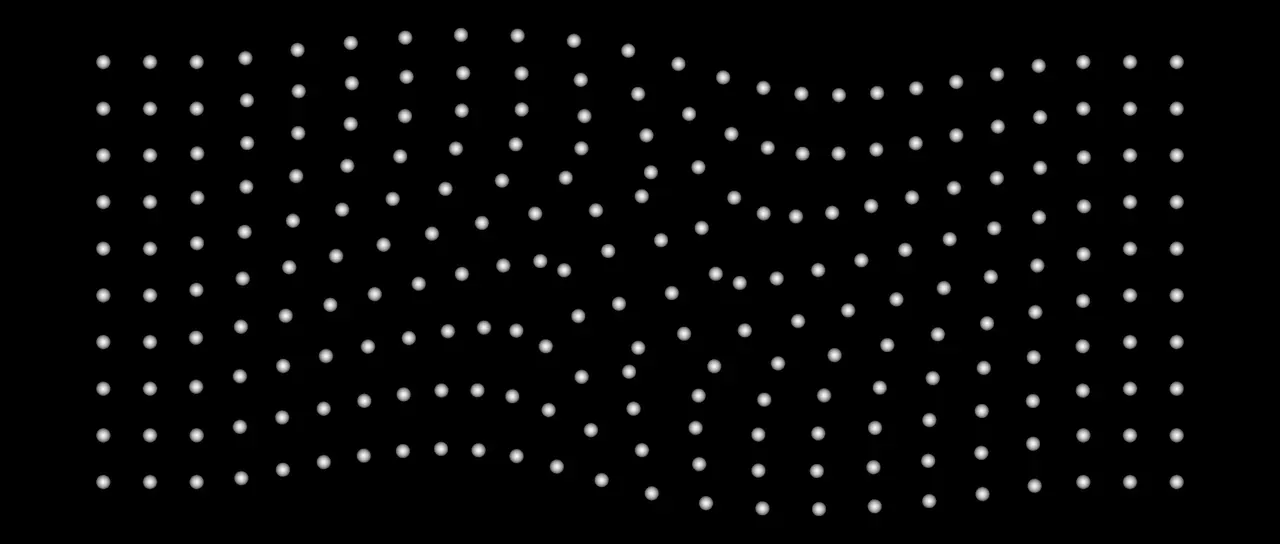
Section titled “What it does”Reads the stream on its Points socket and carries each point along a field, across the layer’s plane. The field says which way a point at any place is moving, and how fast.
A point’s place is found by walking it through the field in fixed steps, from where the wire has it, for as long as Clock says. A frame is the same however it is reached. Each point’s speed becomes the way the field is carrying it.
A frame walks at most a million steps over all its points. Past that each walk is cut into fewer, longer steps.
A frame that follows the one before is quick, as the walk so far is kept. A walk past its step limit, a stream whose input moves, and the Point age clock are walked in full each frame.
The moved points go out on its own Points socket and are drawn as discs.
Parameters
Section titled “Parameters”| Parameter | Control | Range | Default | Unit |
|---|---|---|---|---|
| Apply to | Dropdown | All points · Picked · Not picked | All points | - |
| Group | Text | A short line of text | Empty | - |
| Threshold | Slider | 0 to 1; any value by typing | 0.5 | - |
| Field | Dropdown | Curl noise · Vortex · Pull · Wind · Combined | Curl noise | - |
| Speed | Slider | -500 to 500; any value by typing | 100 | Pixels at composition size |
| Curl noise | Slider | -200 to 200; any value by typing | 0 | Per cent |
| Vortex | Slider | -200 to 200; any value by typing | 100 | Per cent |
| Pull | Slider | -200 to 200; any value by typing | 100 | Per cent |
| Wind | Slider | -200 to 200; any value by typing | 0 | Per cent |
| Noise scale | Slider | 10 to 1000; down to 1 and higher | 200 | Pixels at composition size |
| Noise speed | Slider | 0 to 5; higher | 0 | - |
| Centre X | Slider | 0 to 3840; any value by typing | 960 | Pixels at composition size |
| Centre Y | Slider | 0 to 2160; any value by typing | 540 | Pixels at composition size |
| Radius | Slider | 0 to 2000; higher | 400 | Pixels at composition size |
| Falloff | Curve | 2 to 32 points in the unit square | The identity diagonal | - |
| Direction | Dial | Any angle; snaps every 15° while a modifier is held | 0° | Degrees |
| Clock | Dropdown | Layer time · Point age | Layer time | - |
| Steps per second | Slider, whole numbers | 1 to 120; up to 240 | 30 | - |
| Feather | Slider | 0 to 100 | 100 | Per cent |
| Seed | Seed | Any whole number | A fresh random seed per instance | - |
| Mix | Slider | 0 to 100 | 100 | Per cent |
| Blend | Dropdown | Normal · Darken · Multiply · Colour burn · Linear burn · Darker colour · Add · Lighten · Screen · Colour dodge · Lighter colour · Overlay · Soft light · Hard light · Linear light · Vivid light · Pin light · Hard mix · Difference · Exclusion · Subtract · Divide · Hue · Saturation · Colour · Luminosity | Normal | - |
| Matte | Layer | Any layer in the composition | None | - |
| Invert | Checkbox | On or off | Off | - |
| Channel | Dropdown | Luminance · Alpha · Red · Green · Blue | Luminance | - |
In the Effect Controls panel:
- Field groups Field, Speed.
- Time groups Clock, Steps per second.
- Point groups Feather.
- Group is editable while Apply to is anything but All points.
- Threshold is editable while Apply to is anything but All points.
- Matte is an input to an effect, scaling the strength. Invert inverts the mattes for calculating strength.
What each control does
Section titled “What each control does”- Apply to: which points are carried. The rest stay where they are.
- Group: the group Picked and Not picked go by, as a name. Left empty, they go by the points a Pick points picked. See Names.
- Threshold: what a point’s Group must read above to be in it. It is read only with a Group named.
- Field: what carries the points. Curl noise swirls them without bunching them up. Vortex turns them round the centre. Pull draws them to it. Wind blows them one way. Combined adds the four together, each by its own share.
- Speed: how fast the field carries a point where it is strongest, in pixels a second. A negative number runs it backwards. A Vortex then turns anticlockwise and a Pull pushes away.
- Curl noise, Vortex, Pull and Wind: each field’s share of Speed. 0 leaves that field out and a negative number runs it backwards. They show for Combined.
- Noise scale: how big the swirls are. It shows for Curl noise and Combined, as do the next two.
- Noise speed: how fast the swirls themselves change. At nought they hold still.
- Seed: which noise.
- Centre X and Centre Y: the middle of a Vortex or a Pull. They show for Vortex, Pull and Combined, as do the next two.
- Radius: how far from the centre the field reaches.
- Falloff: how strong the field is from the centre, at the left of the curve, out to Radius, at the right. Past Radius it stays as strong as it is there.
- Direction: the way the Wind blows. 0 is to the right and 90 is down. It shows for Wind and Combined.
- Clock: how long each point has been carried for. Layer time is the layer’s own time. Point age is each point’s own age, and a newborn particle starts where it was born.
- Steps per second: how finely the walk is cut. More follows a tight field better and costs more.
- Feather: how soft the edge of a drawn disc is.
- Mix: how much of the drawing lands on the picture. At nought the points are still handed on.
- Matte and Invert drive the strength of the effect from another layer’s brightness. See Effects.