
Guides / The panels
Updated
The Hierarchy panel
The Hierarchy panel draws the active composition as an indented tree of its layers, top to bottom. Use it to see what a comp contains without opening anything.
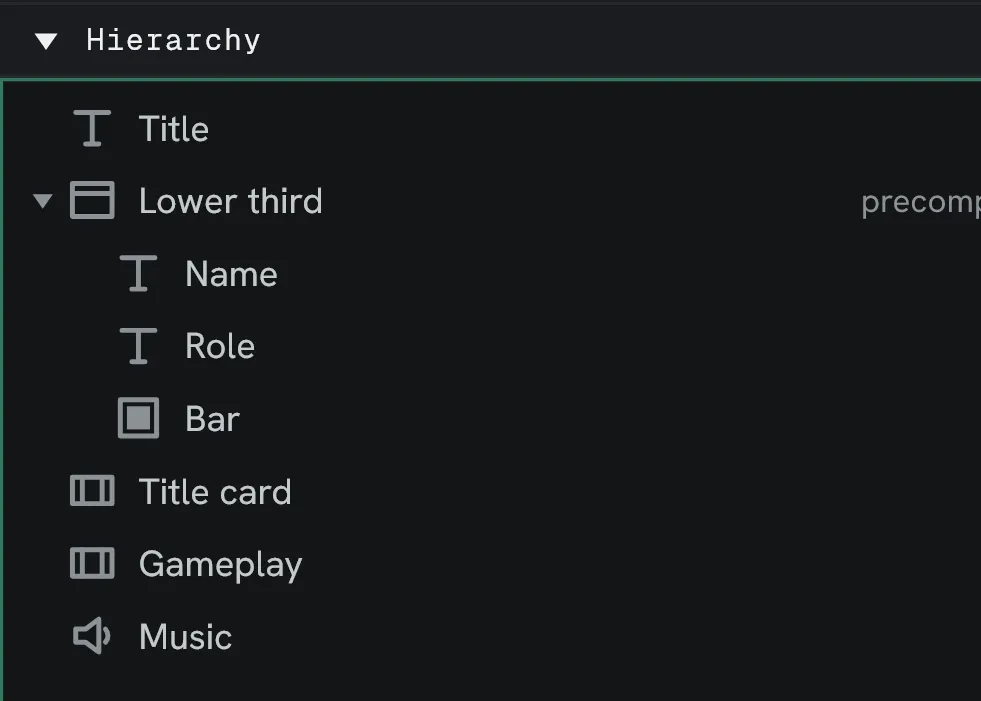
Precomps expand
Section titled “Precomps expand”A Precomp layer can be opened to view the layers of the composition
nested within. Those rows carry a precomp tag at the right.
What clicking does
Section titled “What clicking does”| Gesture | Result |
|---|---|
| Click a row | Select that layer. |
Ctrl+click | Add or remove it from the selection. |
| Click the twirl arrow | Show or hide what a precomp contains. |
| Double-click a precomp row | Front that composition in the Viewer and Timeline. |
Selection is shared with the Timeline, so a layer selected here is selected there.
Read-only
Section titled “Read-only”The panel is for navigation. Renaming, reordering and deleting stay in the Timeline.
A second view drawing the same nesting as a graph was designed and is not built.