
Reference / Effects / Generate
Updated
Relax points
Relax points is a Generate effect.
What it does
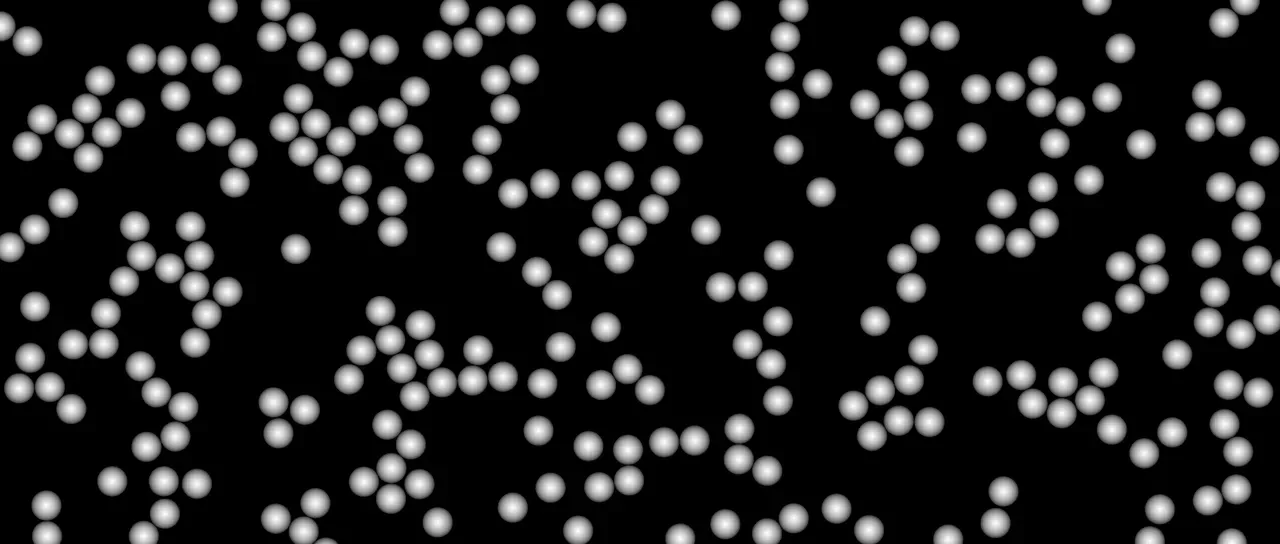
Section titled “What it does”Reads the stream on its Points socket and gives each point a round space of its own. Where two spaces overlap, both points are pushed apart across the layer’s plane, and that is done Iterations times.
Nothing is remembered between frames. Every frame starts from the places the wire brings.
The moved points go out on its own Points socket and are drawn as discs.
Parameters
Section titled “Parameters”| Parameter | Control | Range | Default | Unit |
|---|---|---|---|---|
| Apply to | Dropdown | All points · Picked · Not picked | All points | - |
| Group | Text | A short line of text | Empty | - |
| Threshold | Slider | 0 to 1; any value by typing | 0.5 | - |
| Radius | Slider | 0 to 200; higher | 30 | Pixels at composition size |
| Use point size | Checkbox | On or off | Off | - |
| Spacing | Slider | 0 to 300; higher | 100 | Per cent |
| Iterations | Slider, whole numbers | 0 to 50; up to 100 | 8 | - |
| Strength | Slider | 0 to 100 | 50 | Per cent |
| Bounds | Dropdown | Free · Keep inside | Free | - |
| Max points | Slider, whole numbers | 1 to 200000; up to 1000000 | 20000 | - |
| Feather | Slider | 0 to 100 | 100 | Per cent |
| Mix | Slider | 0 to 100 | 100 | Per cent |
| Blend | Dropdown | Normal · Darken · Multiply · Colour burn · Linear burn · Darker colour · Add · Lighten · Screen · Colour dodge · Lighter colour · Overlay · Soft light · Hard light · Linear light · Vivid light · Pin light · Hard mix · Difference · Exclusion · Subtract · Divide · Hue · Saturation · Colour · Luminosity | Normal | - |
| Matte | Layer | Any layer in the composition | None | - |
| Invert | Checkbox | On or off | Off | - |
| Channel | Dropdown | Luminance · Alpha · Red · Green · Blue | Luminance | - |
In the Effect Controls panel:
- Point groups Max points, Feather.
- Group is editable while Apply to is anything but All points.
- Threshold is editable while Apply to is anything but All points.
- Radius is editable while Use point size is off.
- Spacing is editable while Use point size is on.
- Matte is an input to an effect, scaling the strength. Invert inverts the mattes for calculating strength.
What each control does
Section titled “What each control does”- Apply to: which points move. The rest stay where they are and still push the ones that move.
- Group: the group Picked and Not picked go by, as a name. Left empty, they go by the points a Pick points picked. See Names.
- Threshold: what a point’s Group must read above to be in it. It is read only with a Group named.
- Radius: the space each point wants round itself. Two points end up at least twice this apart.
- Use point size: each point’s space is its own size instead.
- Spacing: how much of its own size a point wants. Over 100 leaves gaps between points and under it lets them overlap.
- Iterations: how many times the points are pushed apart. More settles further.
- Strength: how much of an overlap one pass removes. At 100 the points can jitter from frame to frame.
- Bounds: Free lets the points drift anywhere. Keep inside holds them in the box they started in.
- Max points: the most points it works on. A longer stream is trimmed to its newest.
- Feather: how soft the edge of a drawn disc is.
- Mix: how much of the drawing lands on the picture. At nought the points are still handed on.
- Matte and Invert drive the strength of the effect from another layer’s brightness. See Effects.