
Guides / Using Lumit / Layers
Updated
Blend modes
A blend mode is an operator that combines a layer with the composite below it. You set it in the Timeline, in the row’s matte and blend-mode column. Every layer starts on Normal.
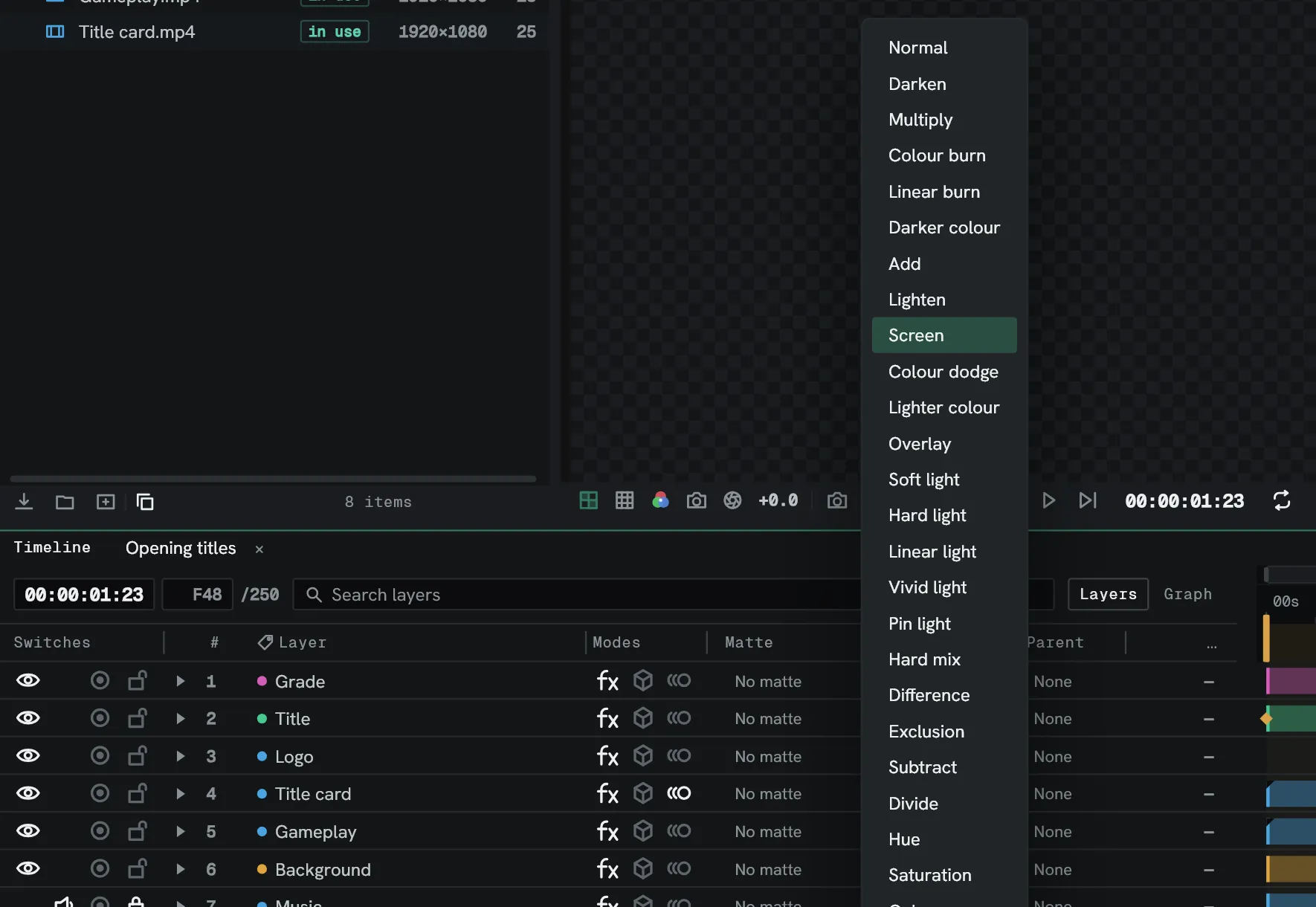
Shift+= and Shift+- step the selected layers to the next and the previous mode, and
stop at either end of the list.
A clip on a Sequence layer can have a blend mode of its own, set from the clip’s menu in the Cut timeline.
The modes
Section titled “The modes”| Mode | Note |
|---|---|
| Normal | This mode ignores the underlying colour, unless opacity is less than 100%. |
| Add | The resulting pixel is the sum of the source and underlying pixel’s colour. |
| Subtract | The resulting pixel subtracts the source from the underlying pixel’s colour. |
| Multiply | For each colour channel it multiplies the source with the underlying pixel’s colour then divides by the maximum value for the colour depth of the project. |
| Darken | For each colour channel the result is the darker of the source and underlying pixels. |
| Lighten | For each colour channel the result is the lighter of the source and underlying pixels. |
| Screen | Multiplies the complements of the channel values, then returns the complement of the result. Complement is (MaxColourValue - ChannelValue). |
| Overlay | Multiplies or screens the input colour depending on whether the underlying colour is lighter or darker than 0.5 (50% grey). |
| Soft light | Darkens or lightens each colour channel depending on whether the source channel is greater than 0.5. |
| Hard light | Multiplies or screens each colour channel value depending on whether the source channel is greater than 0.5. |
| Linear light | Burns or dodges colours by altering brightness, depending on whether the underlying pixel’s colour is greater than 0.5. |
| Vivid light | Burns or dodges colours by altering contrast, depending on whether the underlying pixel’s colour is greater than 0.5. |
| Pin light | Replaces colour, depending on whether the underlying pixel colour is greater than 0.5. |
| Hard mix | Increases contrast of underlying pixels. |
| Colour dodge | The resulting pixel is the lightening of the source altered by the underlying pixel by decreasing contrast. |
| Colour burn | The resulting pixel is the darkening of the source altered by the underlying pixel by increasing contrast. |
| Linear burn | The resulting pixel colour is the darkening of the source to reflect the underlying pixel colour. |
| Darker colour | Similar to Darken, but operates on the overall colour rather than the individual colour channels. |
| Lighter colour | Similar to Lighten, but operates on the overall colour rather than the individual colour channels. |
| Difference | For each colour channel it subtracts the darker of the inputs from the lighter. |
| Exclusion | Similar to Difference, but with reduced contrast. |
| Divide | For each pixel, it divides the underlying pixel by the source. |
| Hue | The resulting pixel is the underlying pixel’s luminosity and saturation, with the source pixel’s hue. |
| Saturation | The resulting pixel is the underlying pixel’s hue and luminosity, with the source pixel’s saturation. |
| Luminosity | The resulting pixel has the underlying pixel’s hue and saturation, with the source pixel’s luminosity. |
| Colour | The resulting pixel has the underlying pixel’s luminosity, with the source pixel’s hue and saturation. |