
Reference / Effects / Temporal
Updated
Echo
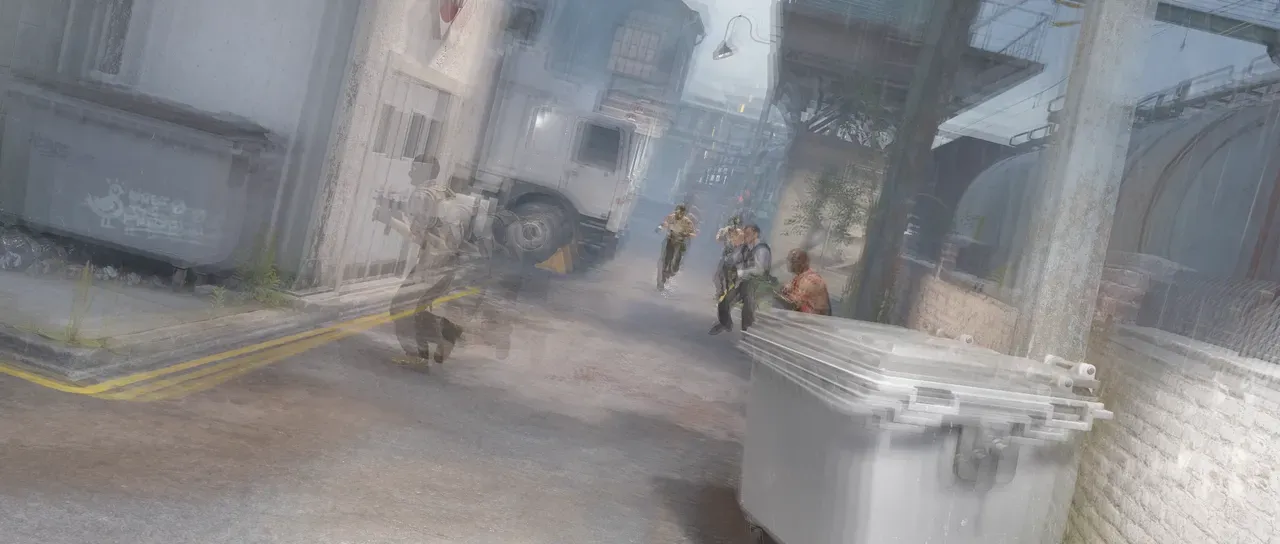
Echo is a Temporal effect.

What it does
Section titled “What it does”Lays a run of the layer’s own earlier frames over or behind the present one.
Parameters
Section titled “Parameters”| Parameter | Control | Range | Default | Unit |
|---|---|---|---|---|
| Echoes | Slider | 1 to 16 | 4 | - |
| Decay | Slider | 0 to 1 | 0.6 | - |
| Mode | Dropdown | Behind · In front · Add · Screen · Multiply · Overlay · Soft light · Hard light · Lighten · Darken · Difference · Exclusion · Subtract · Divide | Screen | - |
| Mix | Slider | 0 to 100 | 100 | Per cent |
| Blend | Dropdown | Normal · Darken · Multiply · Colour burn · Linear burn · Darker colour · Add · Lighten · Screen · Colour dodge · Lighter colour · Overlay · Soft light · Hard light · Linear light · Vivid light · Pin light · Hard mix · Difference · Exclusion · Subtract · Divide · Hue · Saturation · Colour · Luminosity | Normal | - |
| Matte | Layer | Any layer in the composition | None | - |
| Invert | Checkbox | On or off | Off | - |
| Channel | Dropdown | Luminance · Alpha · Red · Green · Blue | Luminance | - |
In the Effect Controls panel:
- Matte scales Decay per pixel: the trail dies away sooner where the matte is dark and reaches its full length where it is white, so the ghosts are genuinely shorter rather than faded back. Invert reads that matte inverted.
What each control does
Section titled “What each control does”- Echoes sets how many earlier frames are displayed.
- Decay governs how quickly each successive echo fades.
- Mode says how each echo is combined into the trail. Behind puts each echo behind the ones after it; In front lays them over.
- Mix: how much of the result replaces the original.
- Matte and Invert drive the strength of the effect from another layer’s brightness; see Effects.